-
【USB 3.0 KVM Switch 2 Monitors 2 Computers Displayport】KCEVE KVM Switch dual monitor displayport lets you control 2 computers with just one set of controls (mouse, keyboard, printer, U disk) and 2 DP monitors, supports webcams. Press “Windows+P” to select mirror mode or extended screen mode. Each computer needs 2 DP cables + 1 USB cable plugged in dual monitor KVM switch displayport
-
【KVM Switch 2 computers USB 3.0 up to 5Gbps Speed】KCEVE KVM switch displayport 1.4 with 4 Integrated USB 3.0 Ports. KVM Switch 2 computer 2 Monitor Share 4 USB 3.0 devices without unplugging. Saving desktop space, keep your desktop tidy and make your work and life easier and more efficient. USB 3.0 up to 5Gbps transmission speed is 10 times that of USB 2.0 480Mbps, compatible with USB 2.0/1.1 devices
-
【Ultra HD 4K@144Hz Visual Enjoyment】KVM Switch 2 monitor 4K@144Hz compliant with DP1.4. Our DP KVM switch supports high resolution up to 8K@30Hz, 3440x1440@144Hz, 4K@120Hz, 4K@60Hz,1920x1080@165hz, makes the screen display more delicate and realistic. 2 computer 2 monitor switch displayport works with ultra wide monitor. The final resolution also depends on the monitor, cables, graphics card and adapters. Please Note: Using 8K cables will solve the problem of flickering and black screen
-
【Dual Monitor KVM Switch Displayport with 2 Switching Methods】Plug and play. No additional driver software required. Freely switch between 2 computers to press panel button switch or 1.5m wired remote controller. LED lights indicate which computer is active. Displayport KVM Switch powered by USB cable. If you use high-power equipment, please connect your own extra 5V power line. Dual displayport switch for 2 computers is Widely used in office, business seminar, home theater, scientific research test, etc
-
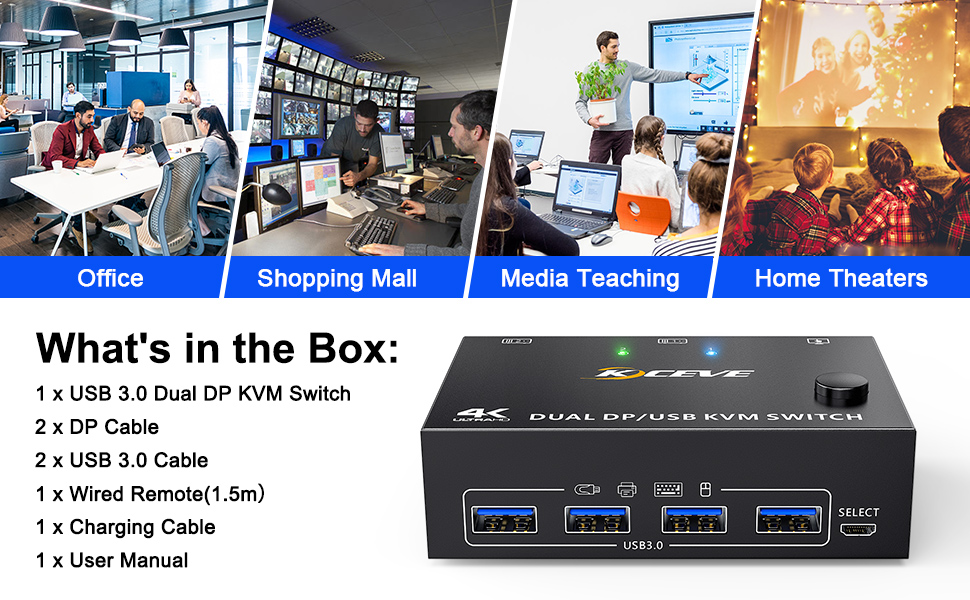
【Good Compatibility】KCEVE KVM switch 2 PC 2 monitore displayport support most DP input devices such as PC, laptop, TV Box, PS5. Compatible with most systems Windows 11/10/8/7/XP/Vista, Mac OS, Linux and Chrome OS systems, etc. Package includes 1 DP KVM switch, 2 DP cables, 2 USB3.0 cables, 1 Wired Remote, 1 User Manual.
Product Description
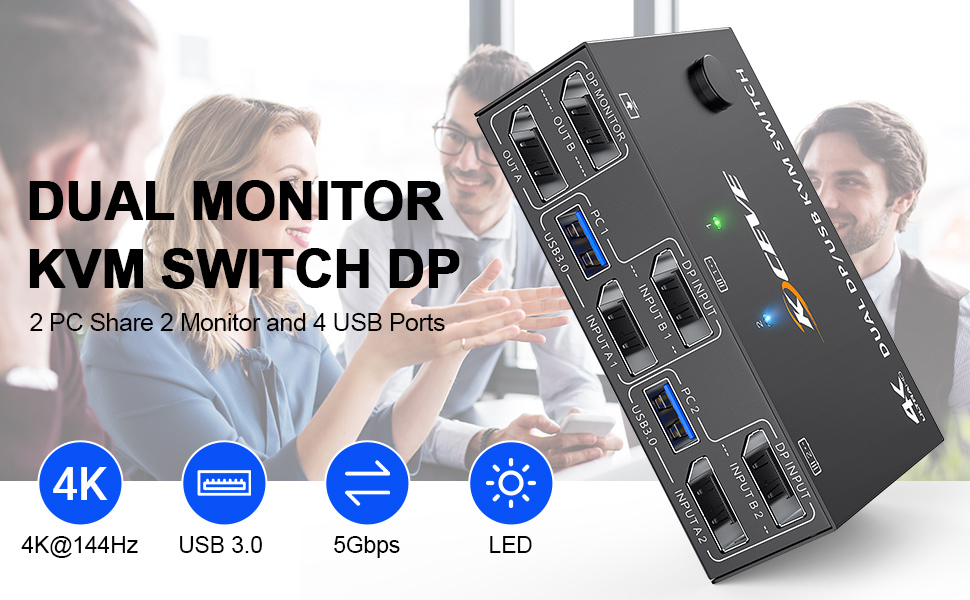
2 computers share a set of mouse, keyboard, printer, scanner or webcam, and display on 2 monitors.
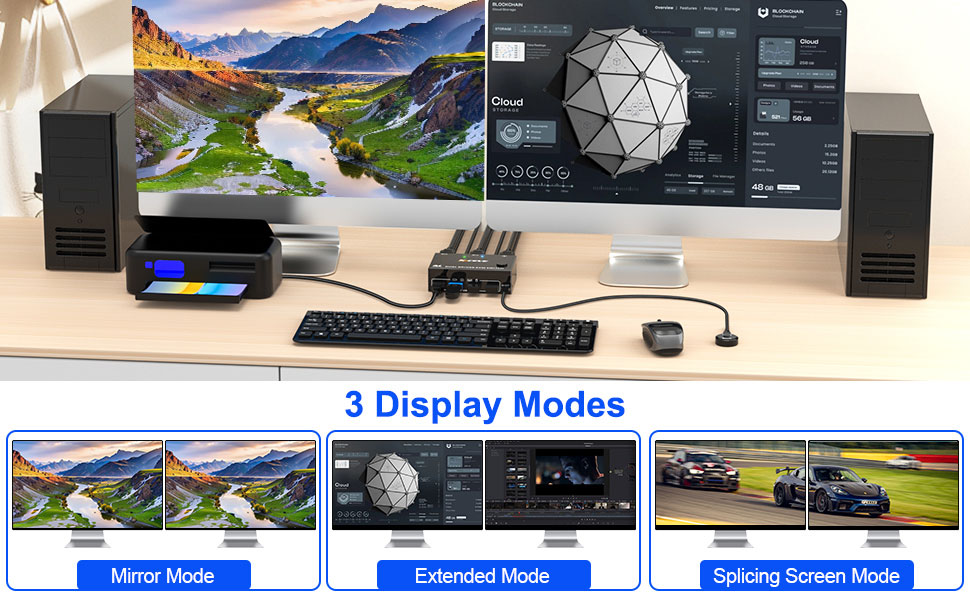
You can choose between extended screen mode and mirrored screen mode by pressing Press “Windows+P” to choose extended or mirrored screen mode
USB 3.0 support up to 5Gbps transmission speed
2 switching methods: button switch & 1.5m wired remote control
Plug and play. No additional driver software required.
LED lights indicate which computer is active
Compatible with Windows11 / 10 / 8 / XP / Vista / Chrome / Mac OS / Linux system,etc.
Support DP 1.4 and below standard protocols.
Support DP devices: Desktop, laptop, TV Box, Xbox One, Apple TV, PS5, HDTV, Monitor, projectors
Support UHD 4K@144Hz, 4K@120Hz, 2K@165Hz, 4K@60Hz.
Please Note: Using 8K cables will solve the problem of flickering and black screen.
DisplayPort KVM Switch 2 Computers Share 2 displayport Monitors and 4 USB Devices
Dual Monitor KVM Switch Displayport Connection Steps
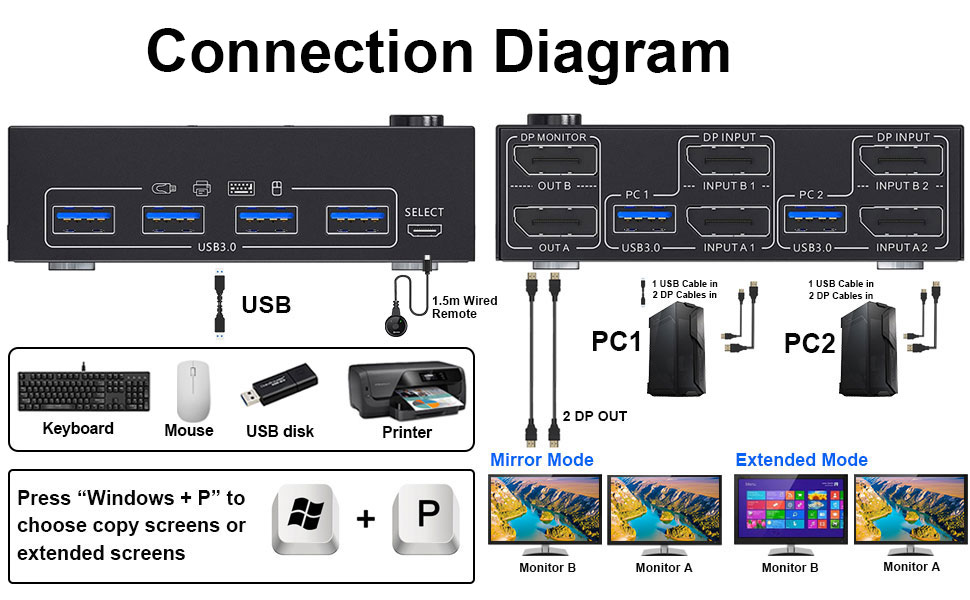
Each computer requires 2 DisplayPort cable + 1 USB cable to connect to the KVM switch
-
Step 1.Connect 2 displayport cables+1 USB3.0 cable between computer 1 and KVM Switch(USB 1, INPUT A1, INPUT B1).
-
Step 2. Connect 2 displayport cables+1 USB3.0 cable between computer 2 and KVM Switch(USB 2, INPUT A2, INPUT B2).
-
Step 3. Connect 2 displayport cables between the KVM Switch(OUT A, OUT B) and 2 monitors.
-
Step 4. Plug your USB device (keyboard & mouse) into the USB port on the KVM Switch. You can connect up to 4 USB 3.0 devices simultaneously. Compatible with USB 2.0/1.1 devices.
-
Step 5. Plug the wired remote into the "SELECT" port to switch freely between PC1 and PC2.
Widely used in business seminars, media teaching, office, video conferencing, home theater, game entertainment, etc.